How to Fill Out Your Prescription
Understand common RX terms (SPH, CYL, AXIS, PD) so we can craft lenses accurately.
How to Fill Out Your Prescription guide
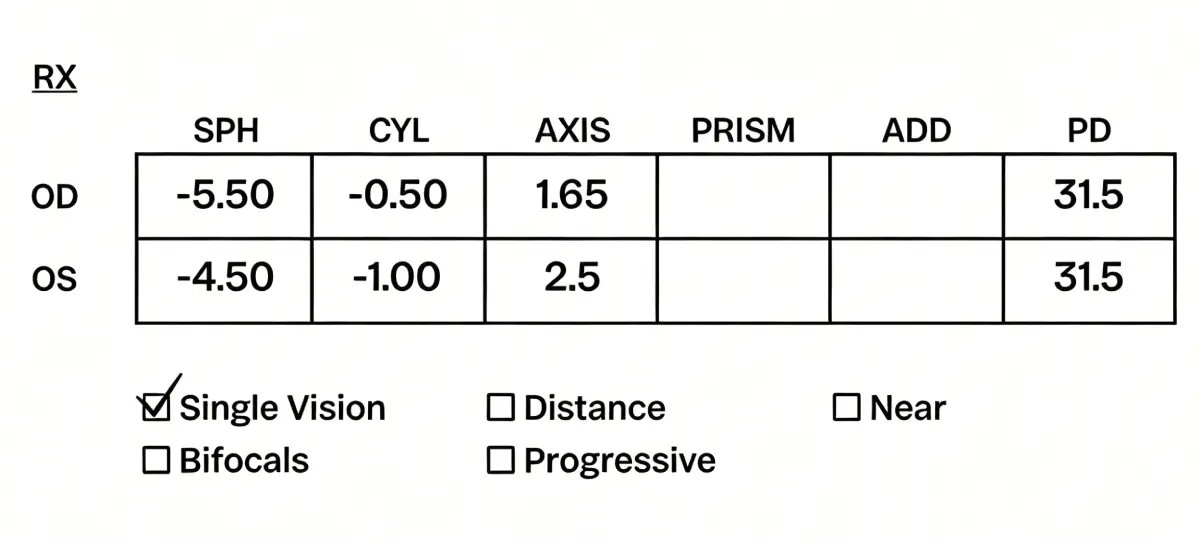
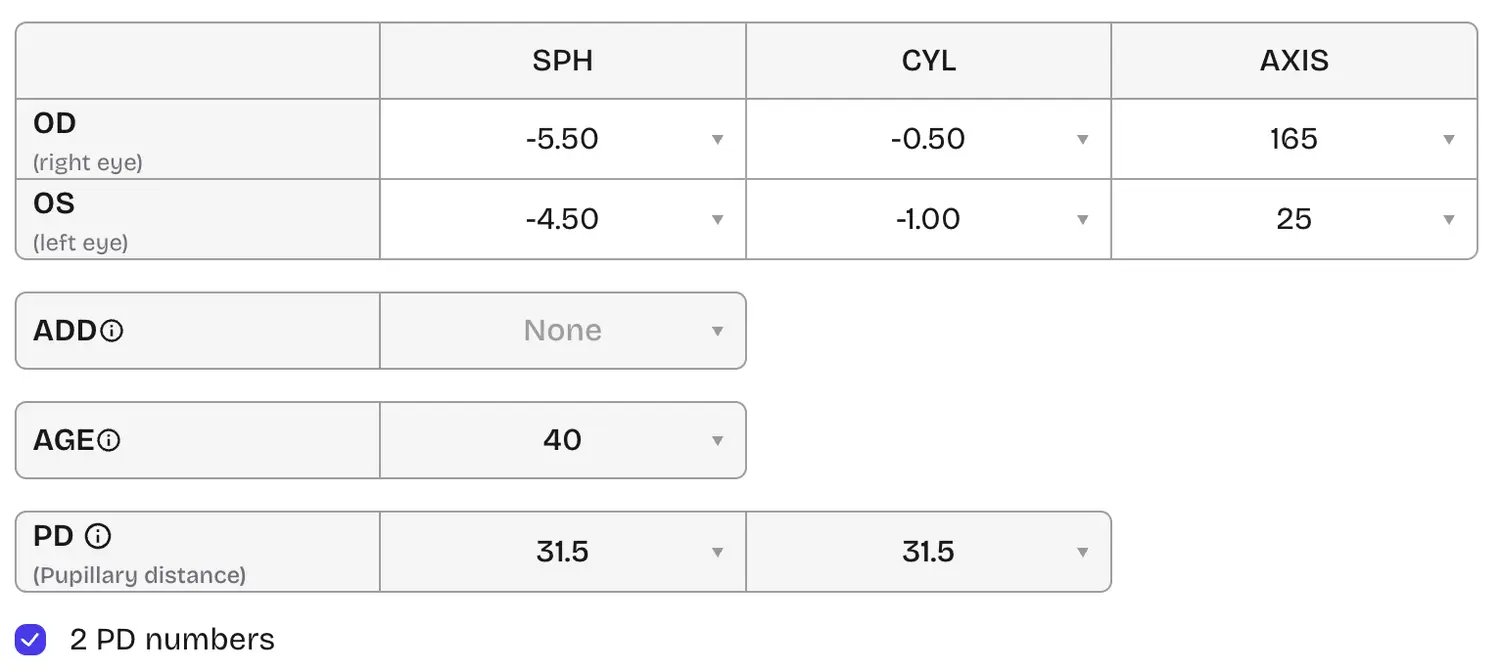
Single vision prescription
If your prescription looks like the example below, choose Single vision and enter SPH, CYL, AXIS, and PD to match your RX. Use two PD fields when your prescription lists separate right and left PDs.
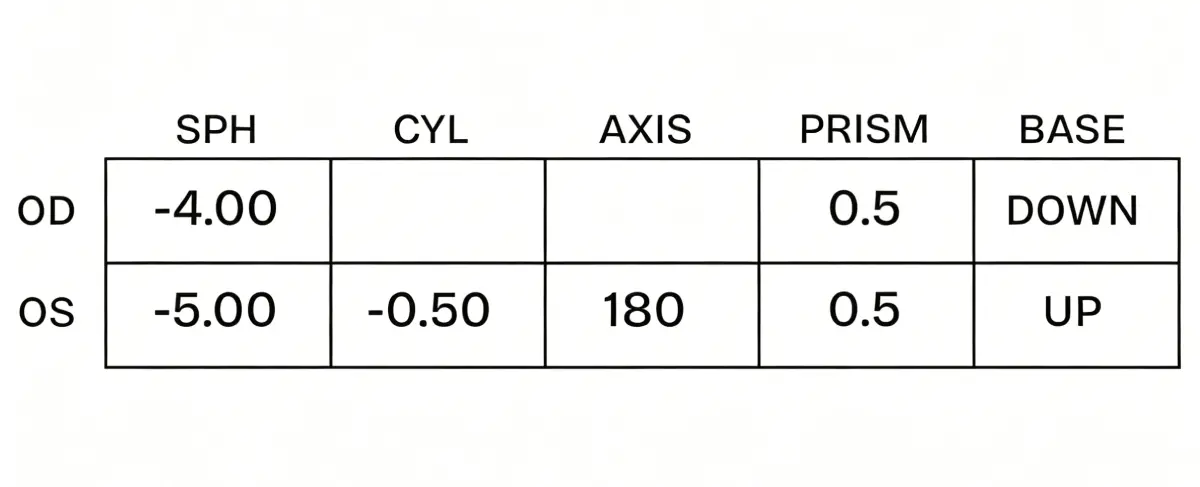
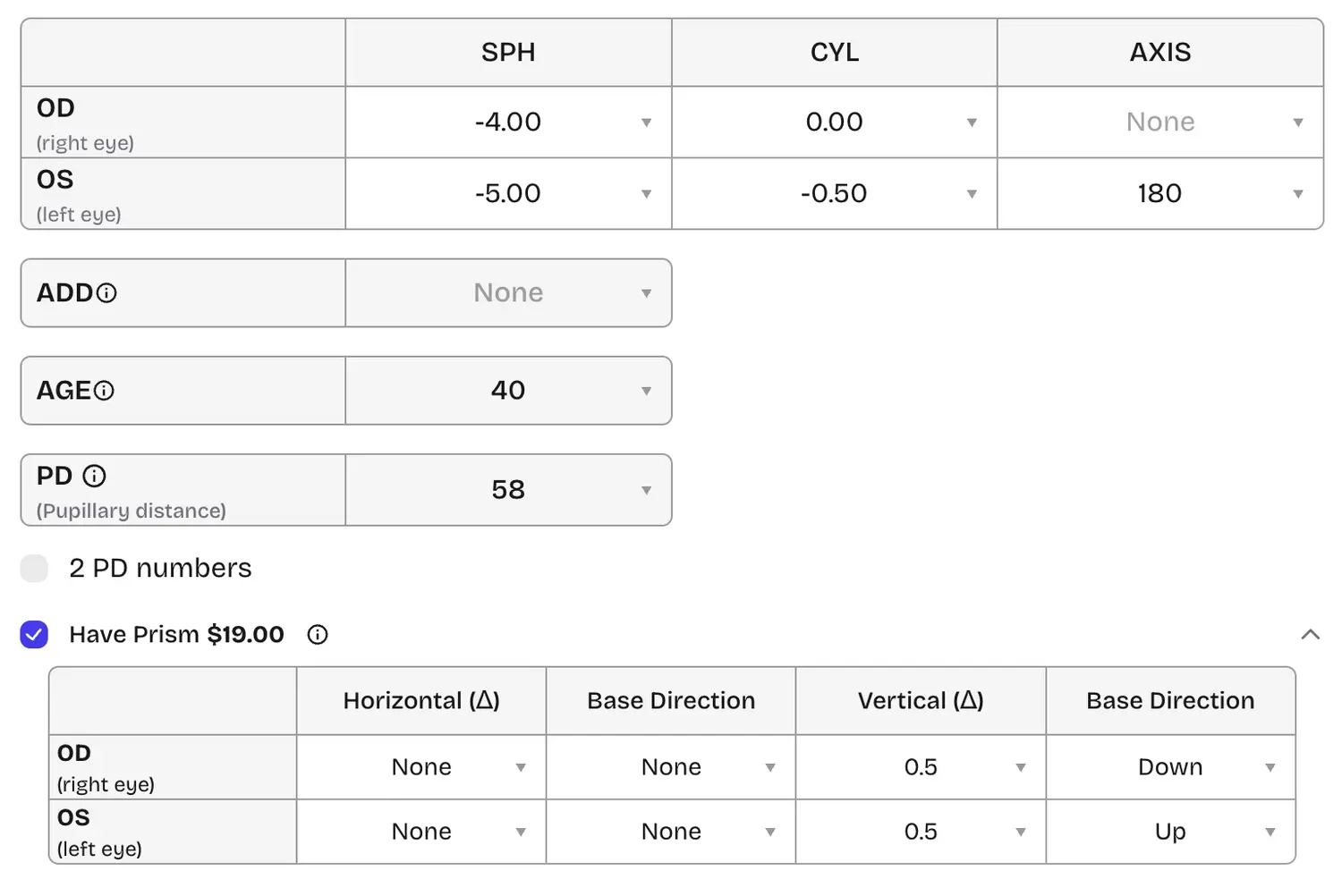
Single vision prescription with prism
When your RX includes prism, turn on Add prism and enter horizontal and vertical prism plus base direction for each eye, together with SPH, CYL, and AXIS as usual.
Note: Enter your PD even if it does not appear on the prescription. How to measure your PD?
Progressive prescription
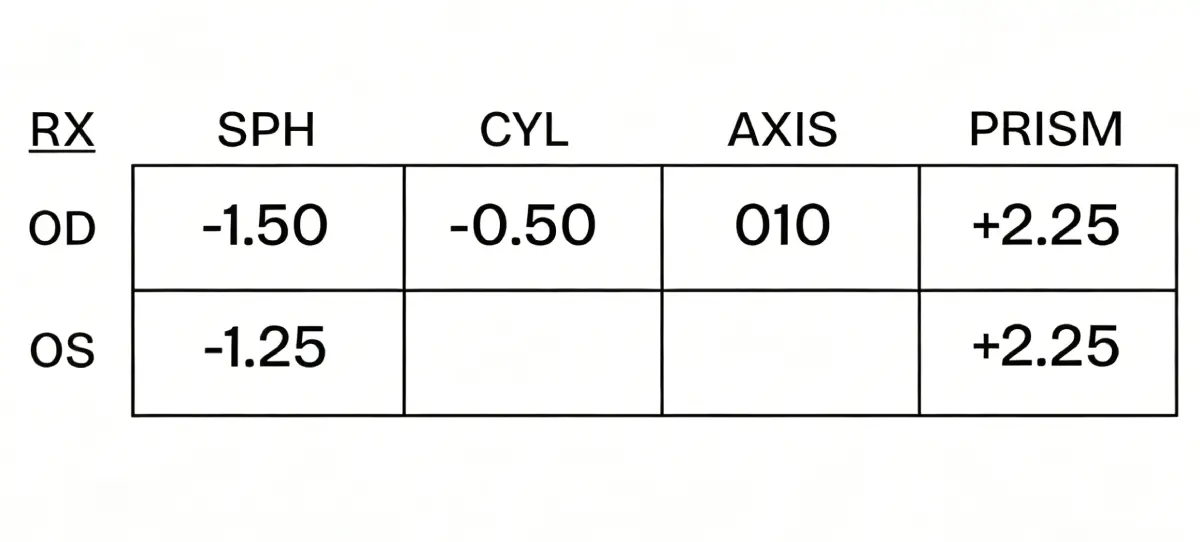
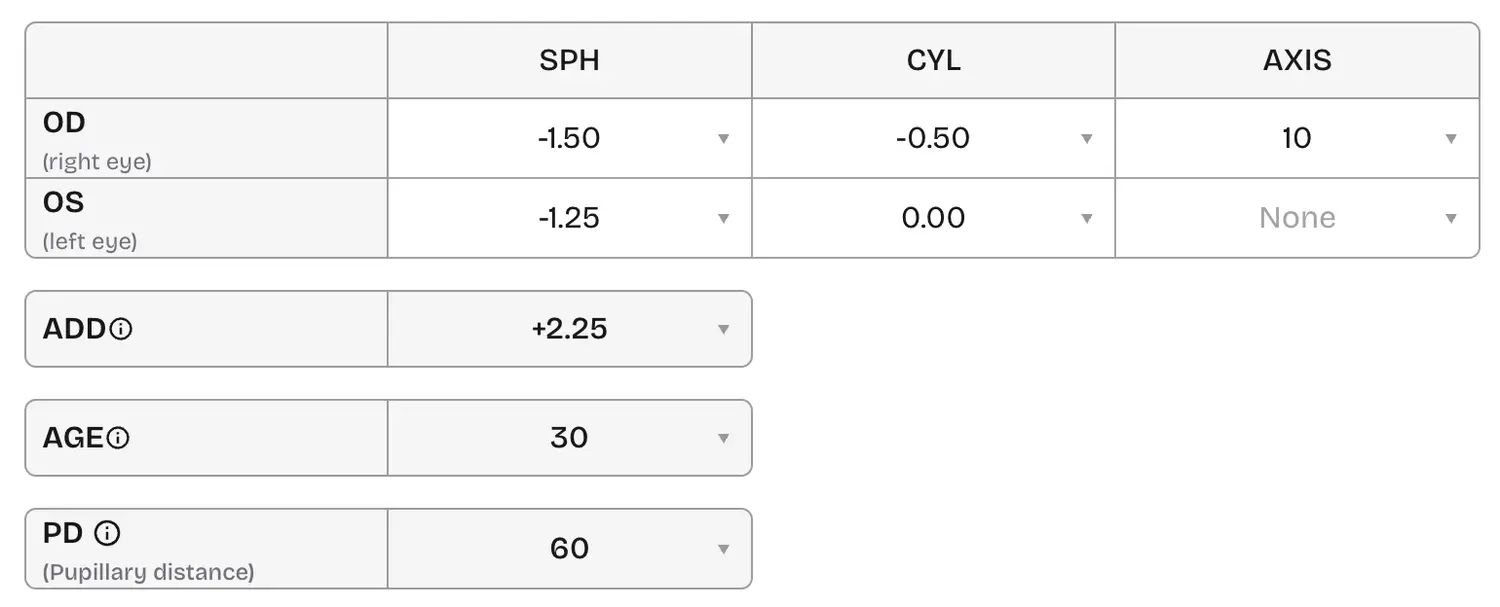
If your lenses are progressive, use the examples below to enter distance power and ADD correctly.
- Sample 1: Enter values exactly as printed when distance and ADD are both listed.
- Sample 2: Convert shorthand to decimals (for example +225 → +2.25, −150 → −1.50).
- Sample 3: When only near and distance powers are given, derive ADD from the difference—for example: Near OD +0.75 minus Distance OD −1.50 → ADD +2.25.
Note: Different RX layouts can describe the same progressive lens. Always include a measured PD if it is missing from the paper. How to measure your PD?
Reading prescription
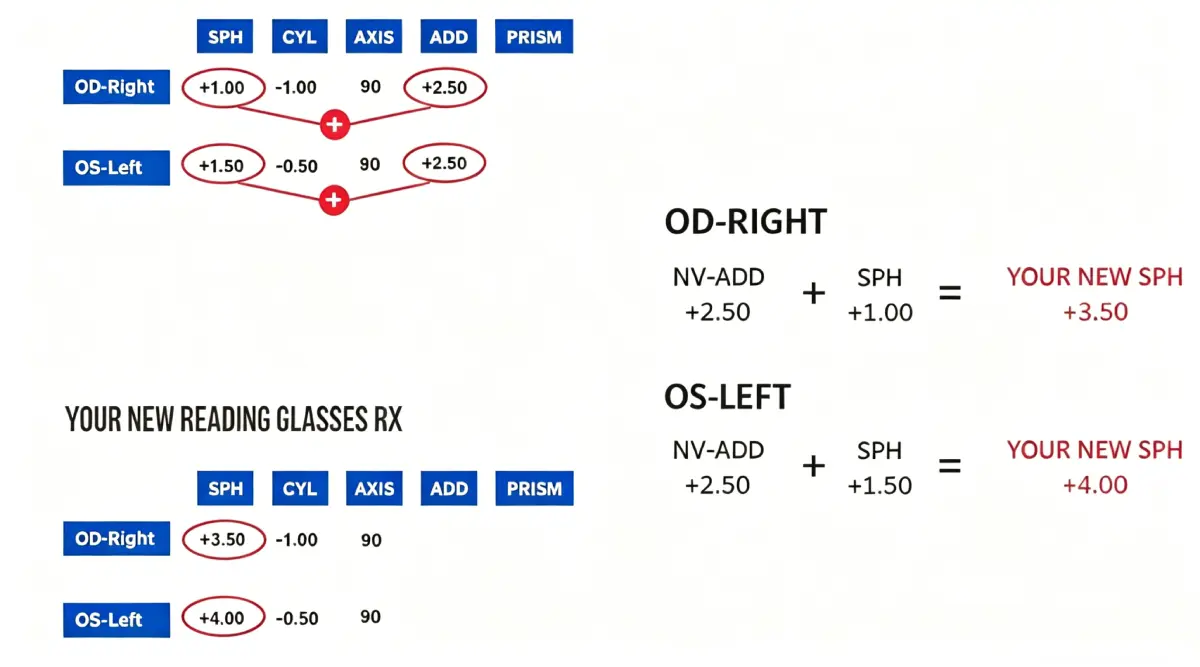
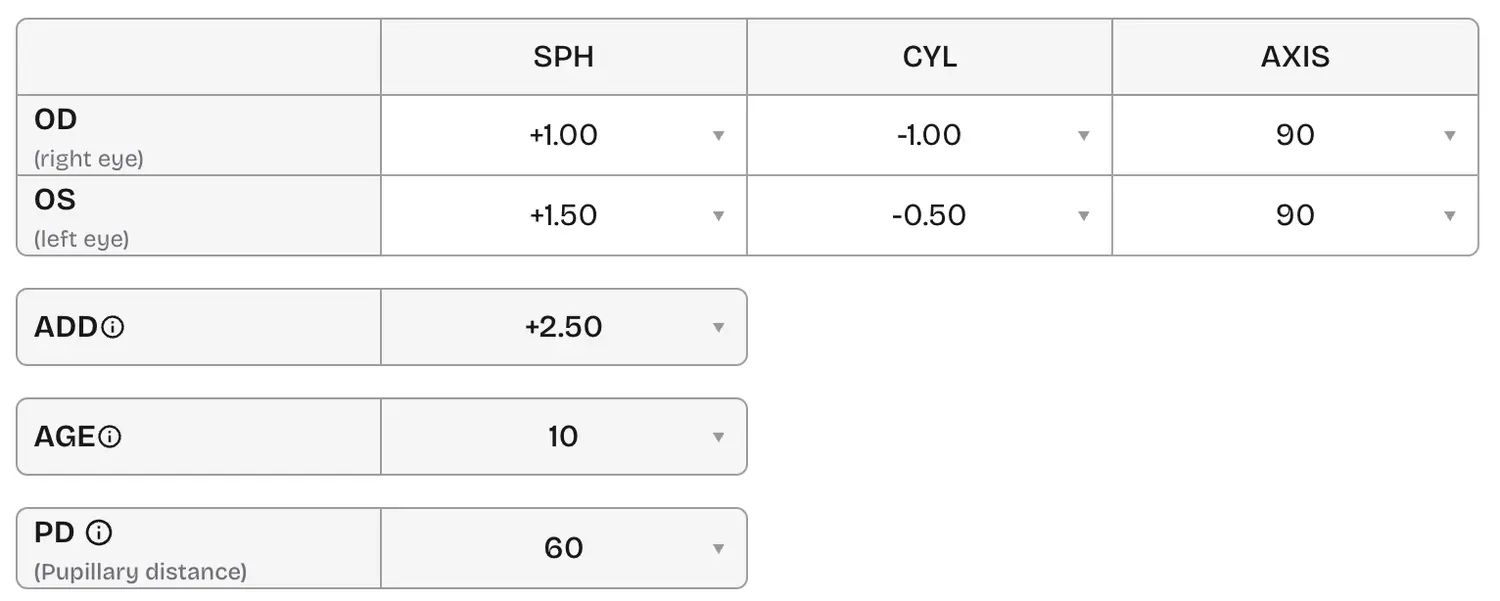
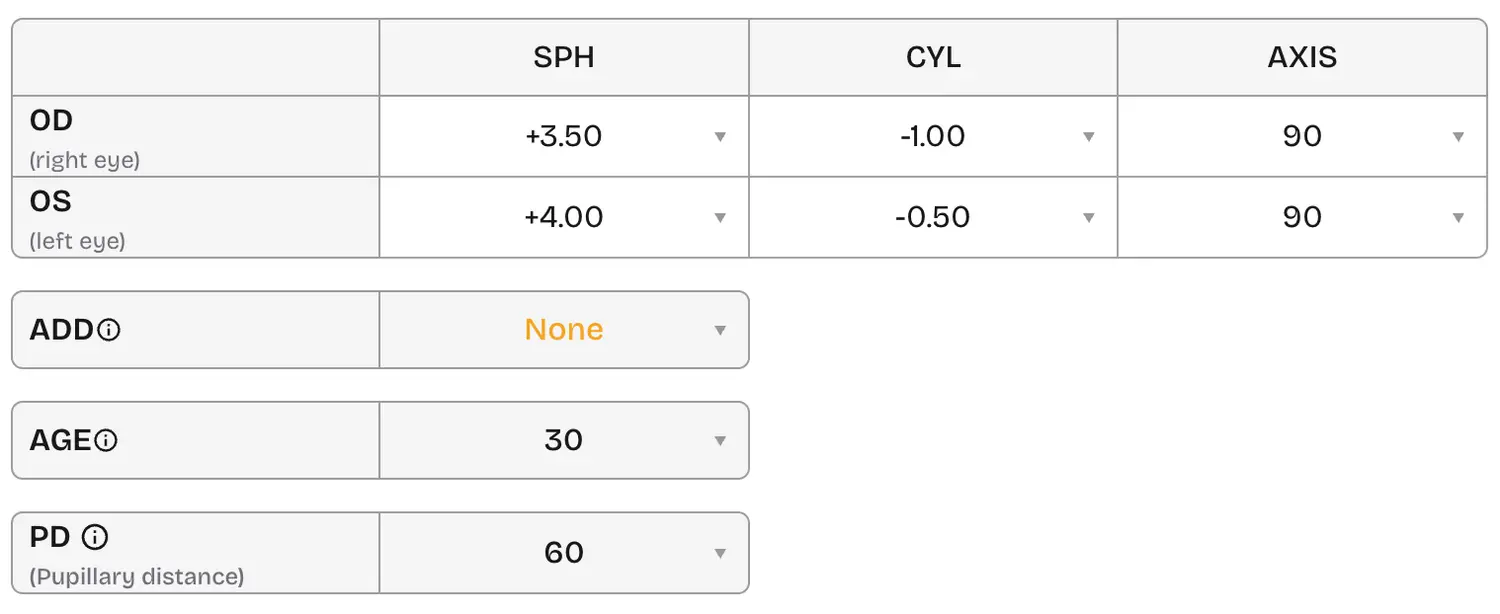
For reading-only glasses, combine near add with distance sphere per eye: NV-ADD + SPH = new SPH. Keep CYL and AXIS the same; leave ADD empty on the reading form when you have already merged add into sphere.
Note: Fill in PD even when it is not written on the RX.
Other terms you might see
Here are common abbreviations and how to enter them online:
- OD — Oculus dexter (right eye).
- OS — Oculus sinister (left eye).
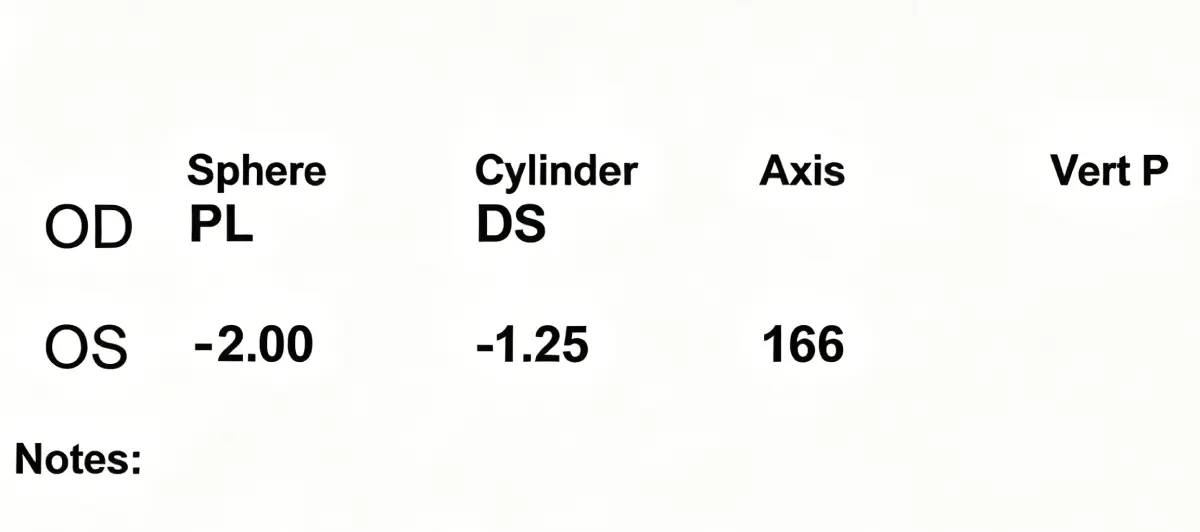
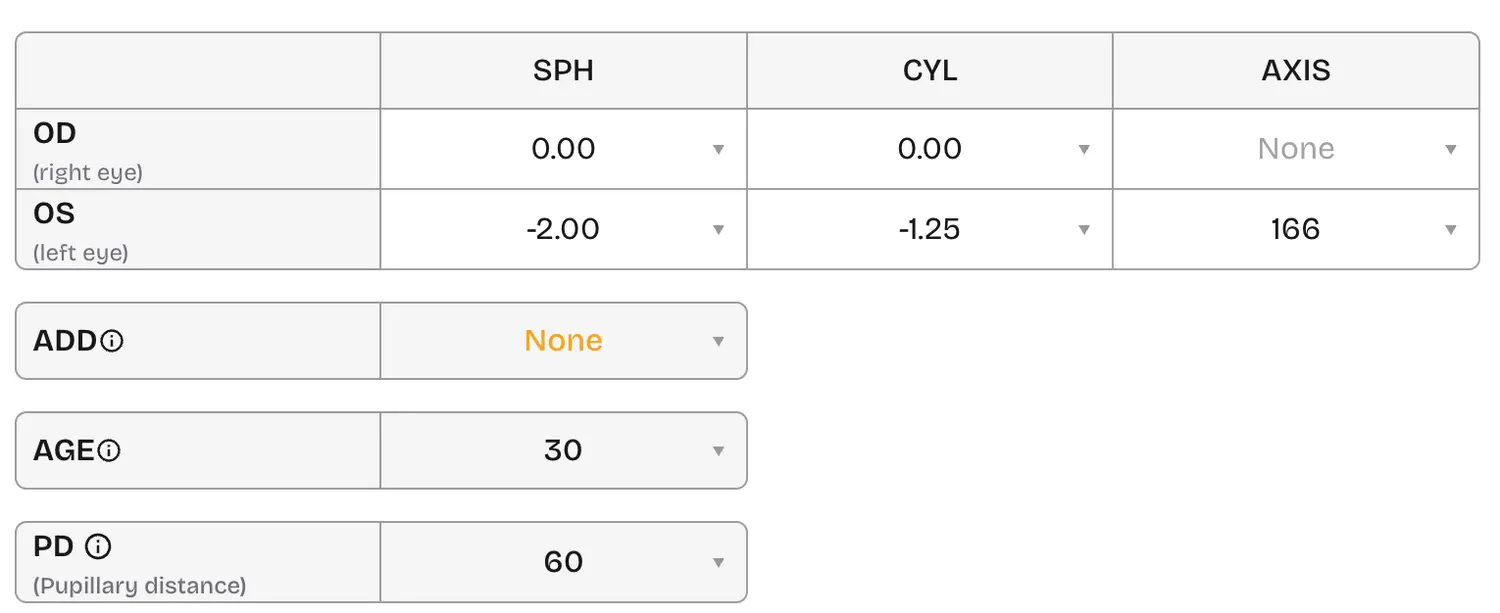
- PL (plano) — No sphere correction; enter 0.00 for SPH.
- DS (diopter sphere) — No cylinder for that eye; enter 0.00 for CYL (and axis as needed per your form).
Enter every value as on your prescription. If PD is missing, provide a measured PD before checkout. How to measure your PD?